Orders List
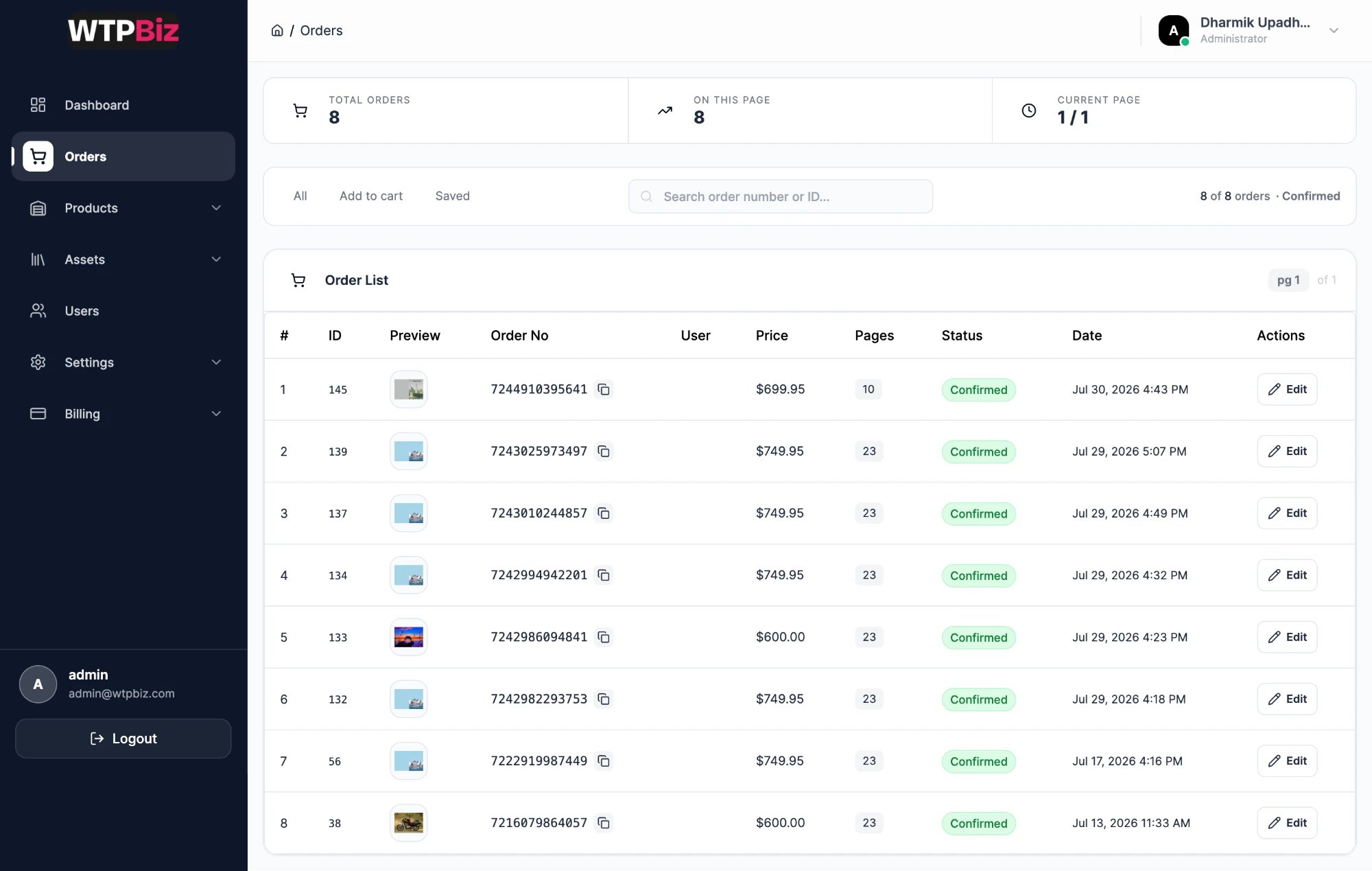
Go to Sidebar > Orders to see every customer project.
- Summary strip — total orders, orders on this page and page number.
- Filter tabs — All shows every project. Add to cart shows designs a customer added to the cart but has not bought yet. Saved shows drafts saved in the editor. Use the last two to follow up on unfinished books.
- Search — find an order by its Shopify order number or internal ID.
- Order List — one row per book: ID, cover preview, Shopify order number (with copy button), user, price, page count, status and date. Click Edit to open the order.
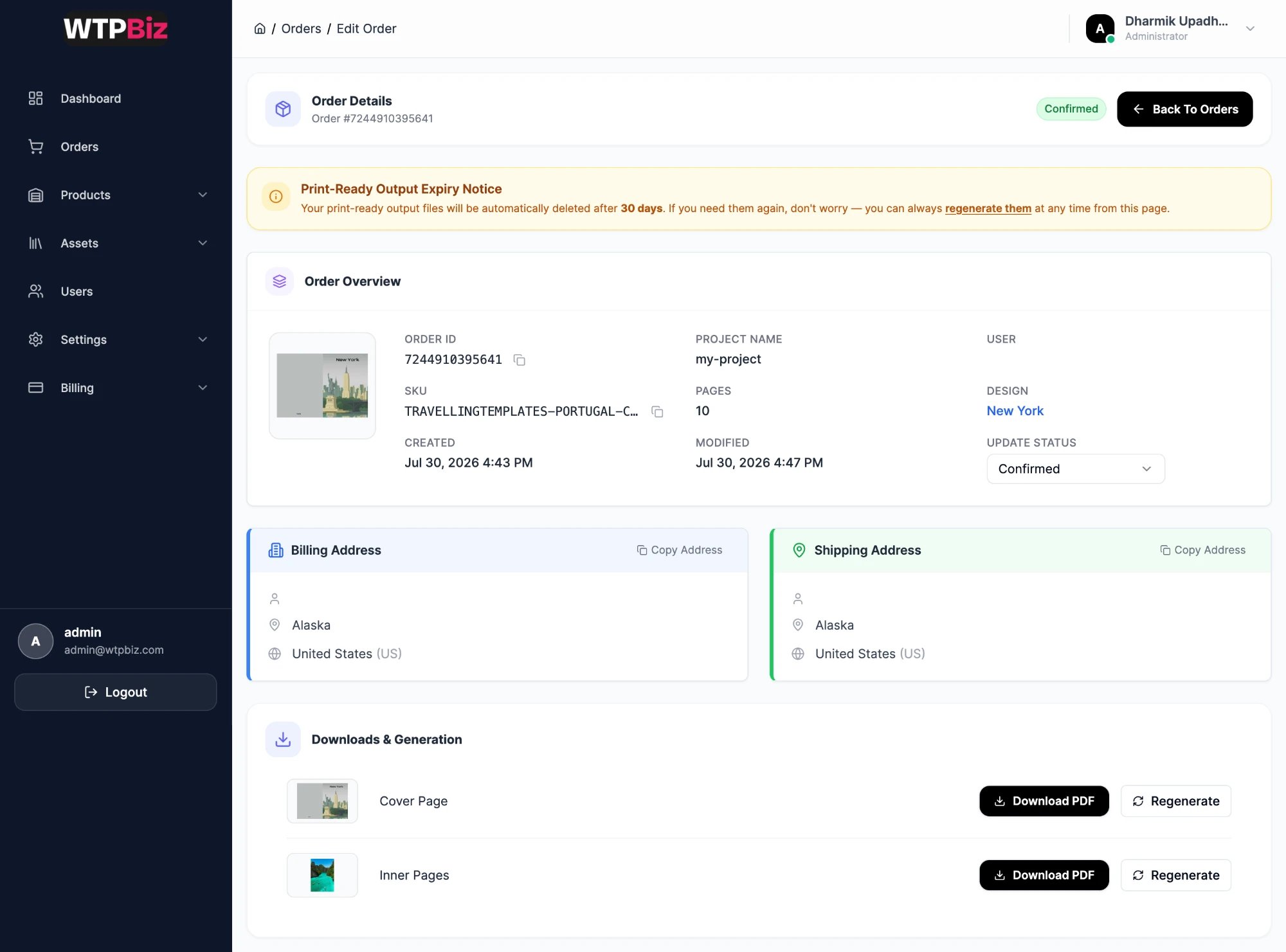
Order Details
- Order Overview — cover preview, order ID, SKU, project name, page count, the design used, and created and modified times.
- Update Status — change the order status, for example to mark it printed or shipped.
- Billing / Shipping Address — taken from the Shopify order, each with a Copy Address button.
- Downloads & Generation — separate print files for the Cover Page and Inner Pages. Download PDF downloads the file. Regenerate rebuilds it.
Print-ready files are deleted automatically after 30 days. Download them or send them to your printer within 30 days. You can use Regenerate to create them again at any time.
Fulfilling an Order
- Go to Orders and find the order.
- Click Edit.
- Click Download PDF for the Cover Page and the Inner Pages.
- Send both files to your printer.
- Change Update Status to track progress.
.png?fit=max&auto=format&n=A6eJvszAoL83-A7S&q=85&s=ab172e8360b4303be4b8af2487703d0c)