.png?fit=max&auto=format&n=A6eJvszAoL83-A7S&q=85&s=ab172e8360b4303be4b8af2487703d0c)
Size Tiers
Go to Sizes. Each size tier sets the sign’s dimensions and how its price is calculated.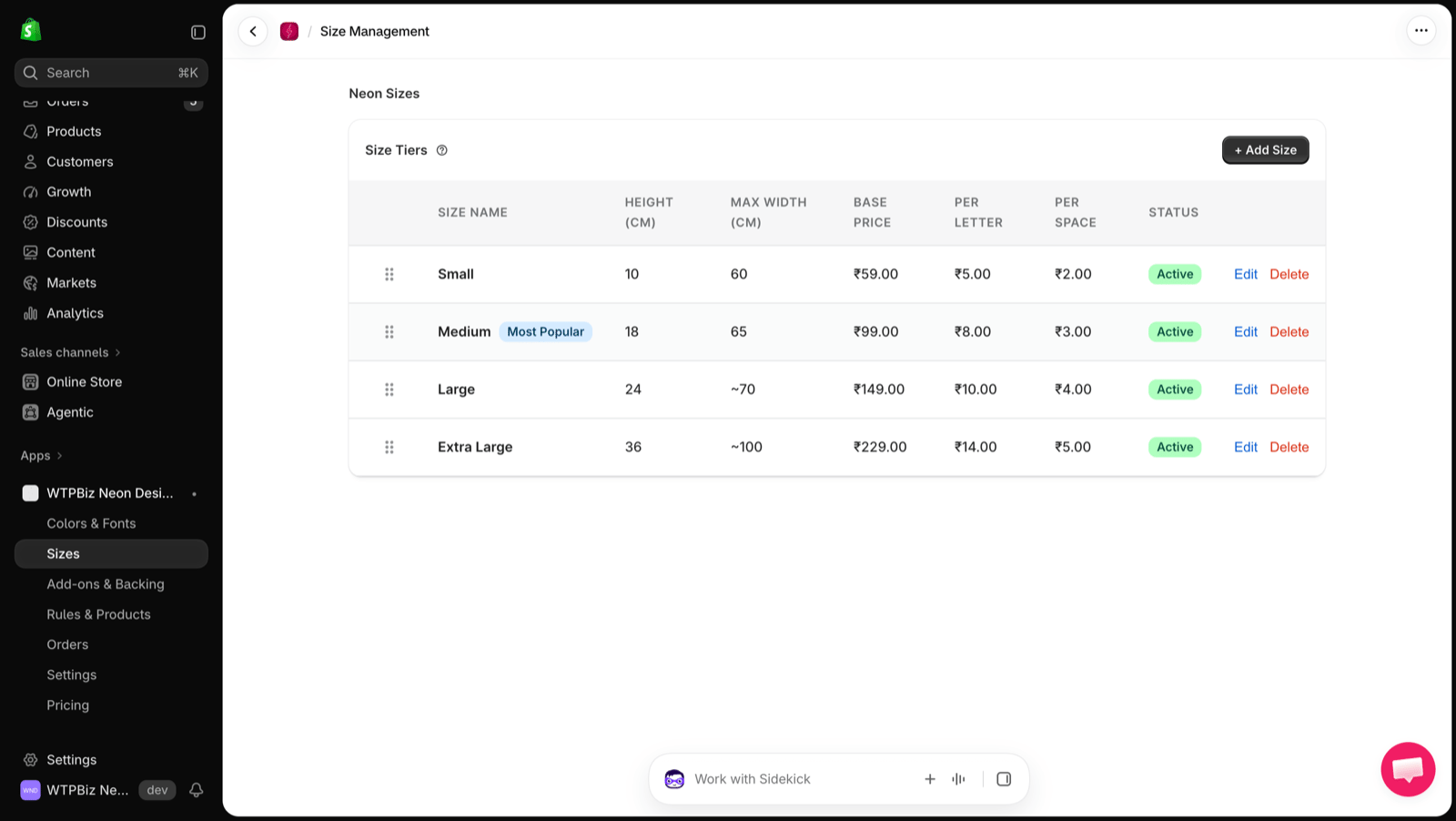
Drag the handle to reorder sizes. Click Edit or Delete to change a size.
How the Price Is Calculated
Price = Base Price + (Per Letter × letters) + (Per Space × spaces), plus any color upcharge, add-ons and backing style. The price updates live as the customer types.Add a Size
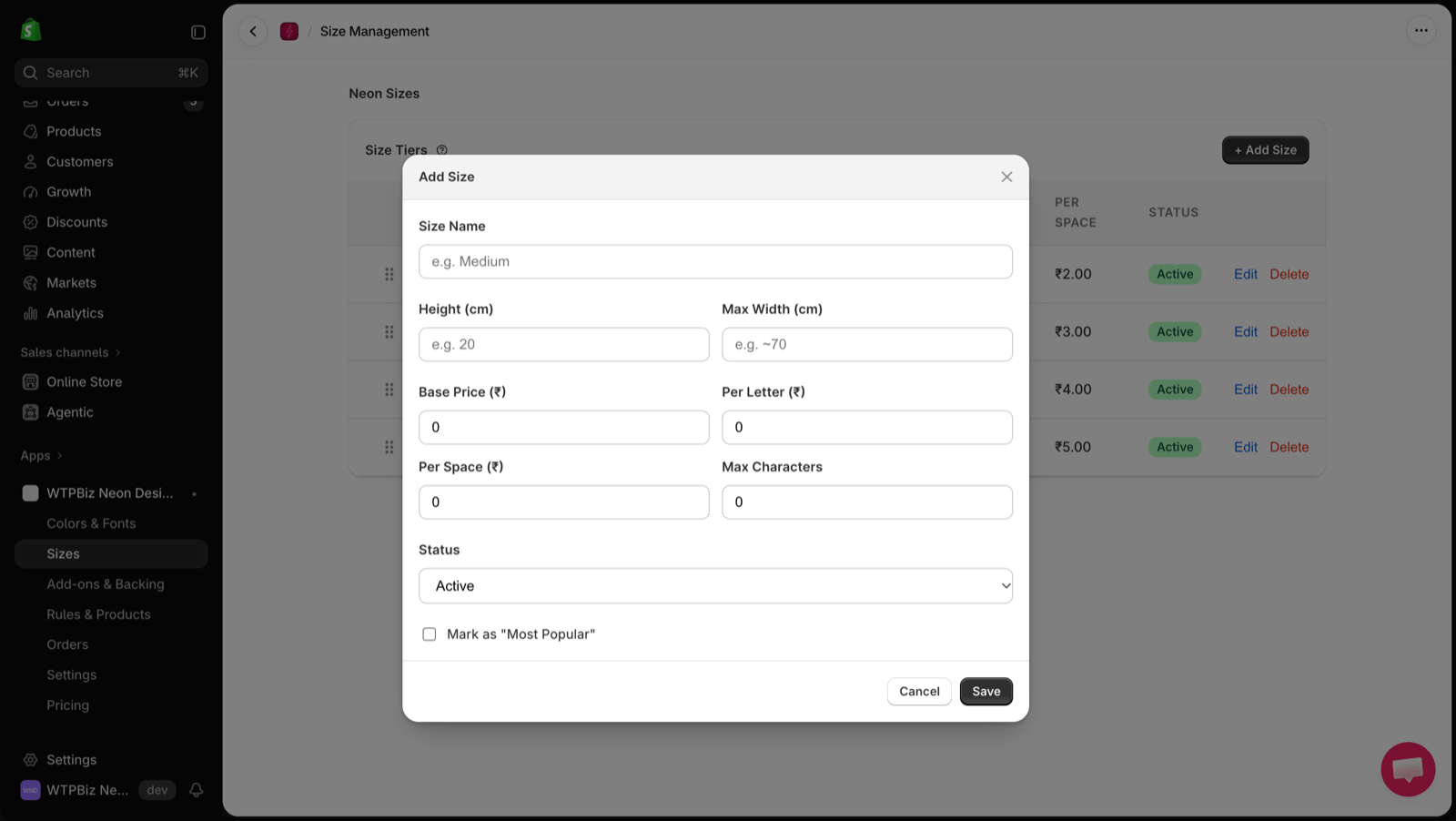
- Click + Add Size.
- Enter the Size Name, Height (cm) and Max Width (cm).
- Enter Base Price, Per Letter and Per Space prices.
- Set Max Characters for this size.
- Choose the Status (Active or Inactive).
- Optionally tick Mark as “Most Popular”.
- Click Save.
Prices are in your store currency. The measurement unit can be changed in Settings.