.png?fit=max&auto=format&n=A6eJvszAoL83-A7S&q=85&s=ab172e8360b4303be4b8af2487703d0c)
Dashboard Overview
The Dashboard is the first page you see when you open WTPBiz Neon Designer. It shows your setup progress, your plan and order usage, and quick links to help.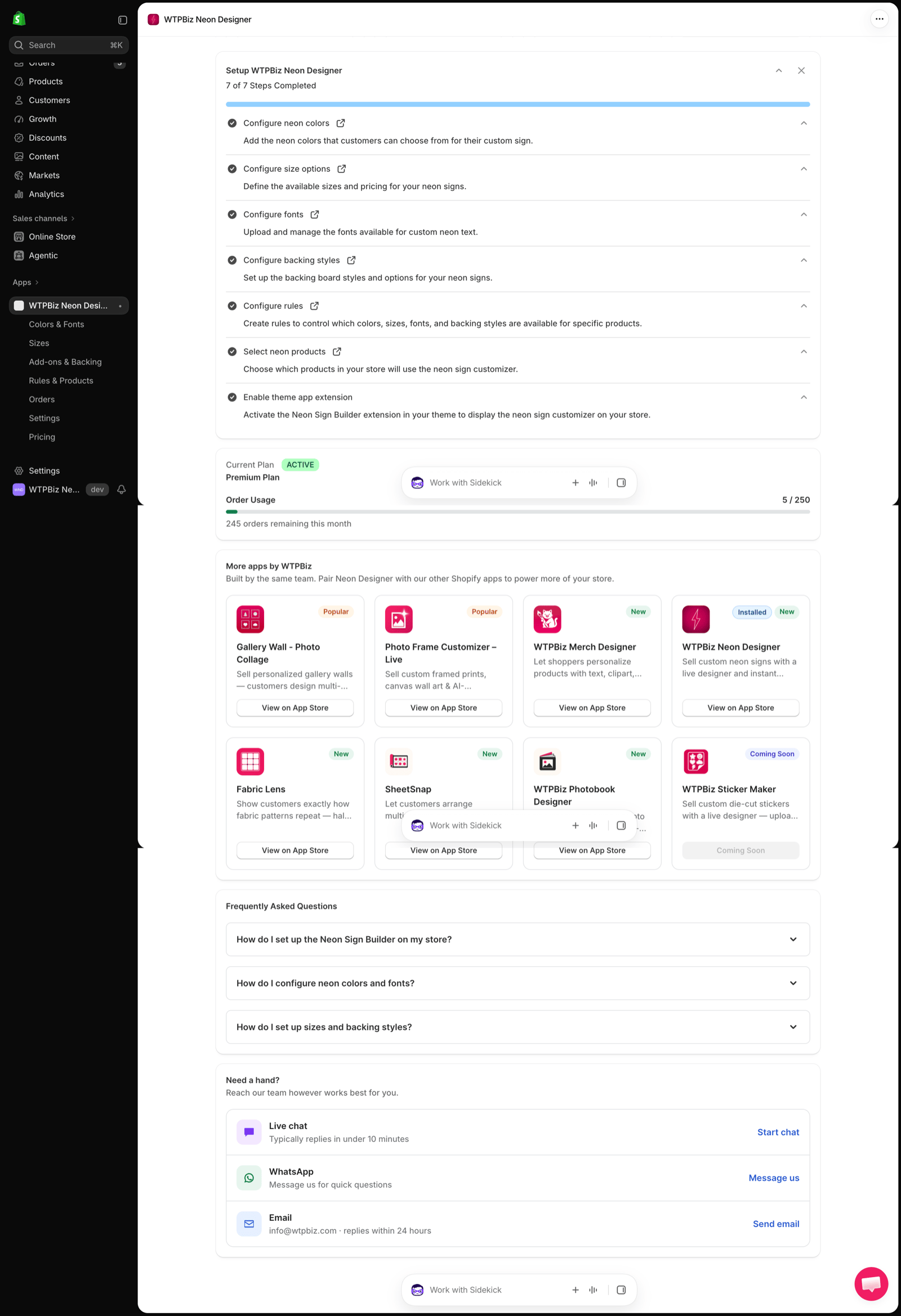
Setup Progress
The Setup WTPBiz Neon Designer card tracks 7 onboarding steps: colors, sizes, fonts, backing styles, rules, neon products and the theme app extension. Click the external link icon next to any step to jump to that page. When every step is done, the card shows 7 of 7 Steps Completed.Current Plan
- Your active plan name (e.g., Premium Plan) and an ACTIVE badge.
- Order Usage — orders used this month against your plan limit (e.g., 5 / 250).
- Orders remaining this month.
More Apps by WTPBiz
Other WTPBiz apps you can pair with Neon Designer, with a link to each one on the Shopify App Store.Frequently Asked Questions
Built-in answers to common questions:- How do I set up the Neon Sign Builder on my store?
- How do I configure neon colors and fonts?
- How do I set up sizes and backing styles?