.png?fit=max&auto=format&n=A6eJvszAoL83-A7S&q=85&s=ab172e8360b4303be4b8af2487703d0c)
Settings
Go to Settings > Settings.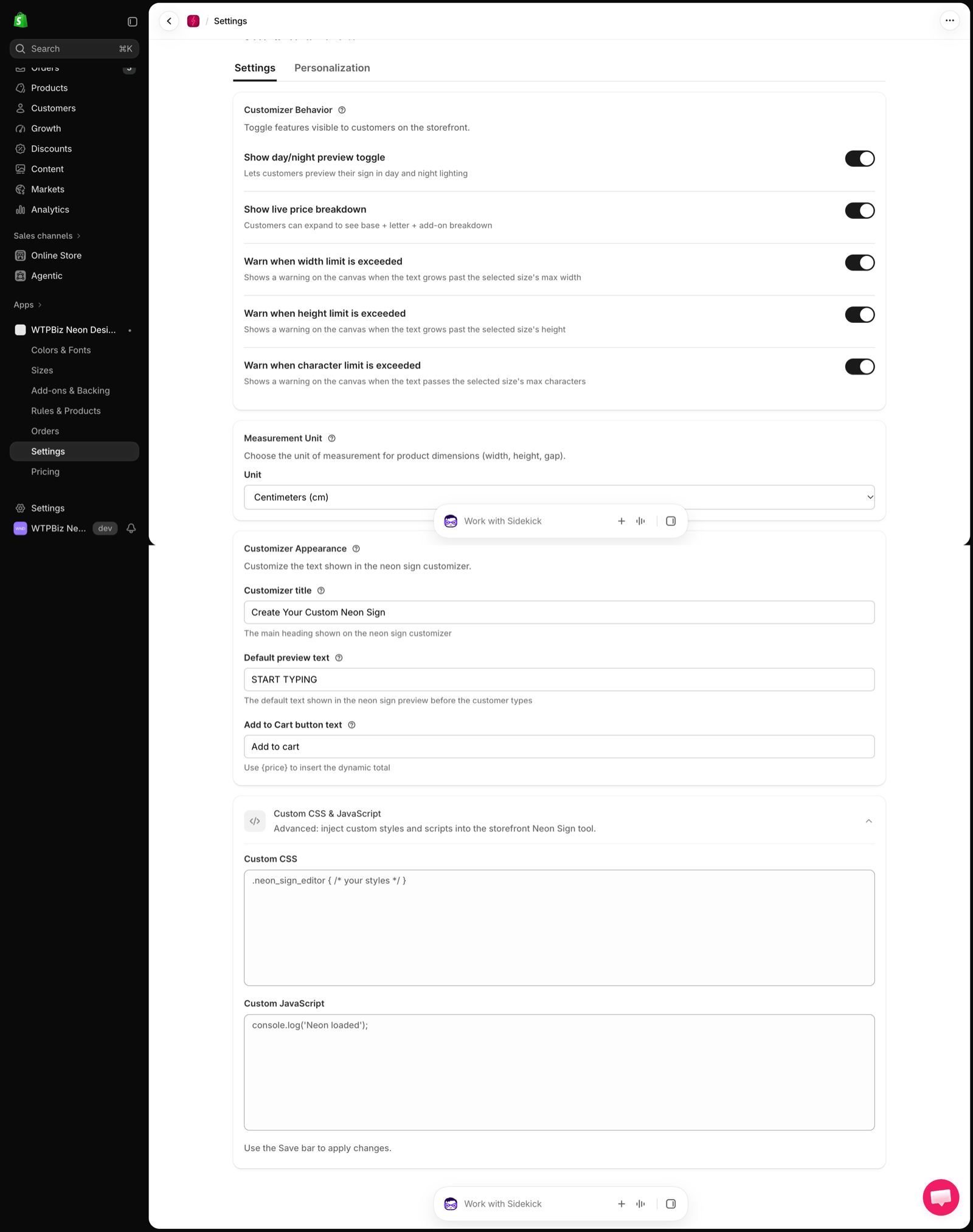
Customizer Behavior
Toggle features visible to customers on the storefront:Measurement Unit
Choose the Unit for product dimensions (width, height, gap), for example Centimeters (cm).Customizer Appearance
- Customizer title — main heading on the builder (e.g., “Create Your Custom Neon Sign”).
- Default preview text — text shown before the customer types (e.g., “START TYPING”).
- Add to Cart button text — use
{price}to insert the live total.
Custom CSS & JavaScript
Advanced: add Custom CSS and Custom JavaScript to the storefront Neon Sign tool. Use the Save bar to apply changes.Personalization
Go to Settings > Personalization to match the builder to your storefront theme. Changes show instantly in the Live preview.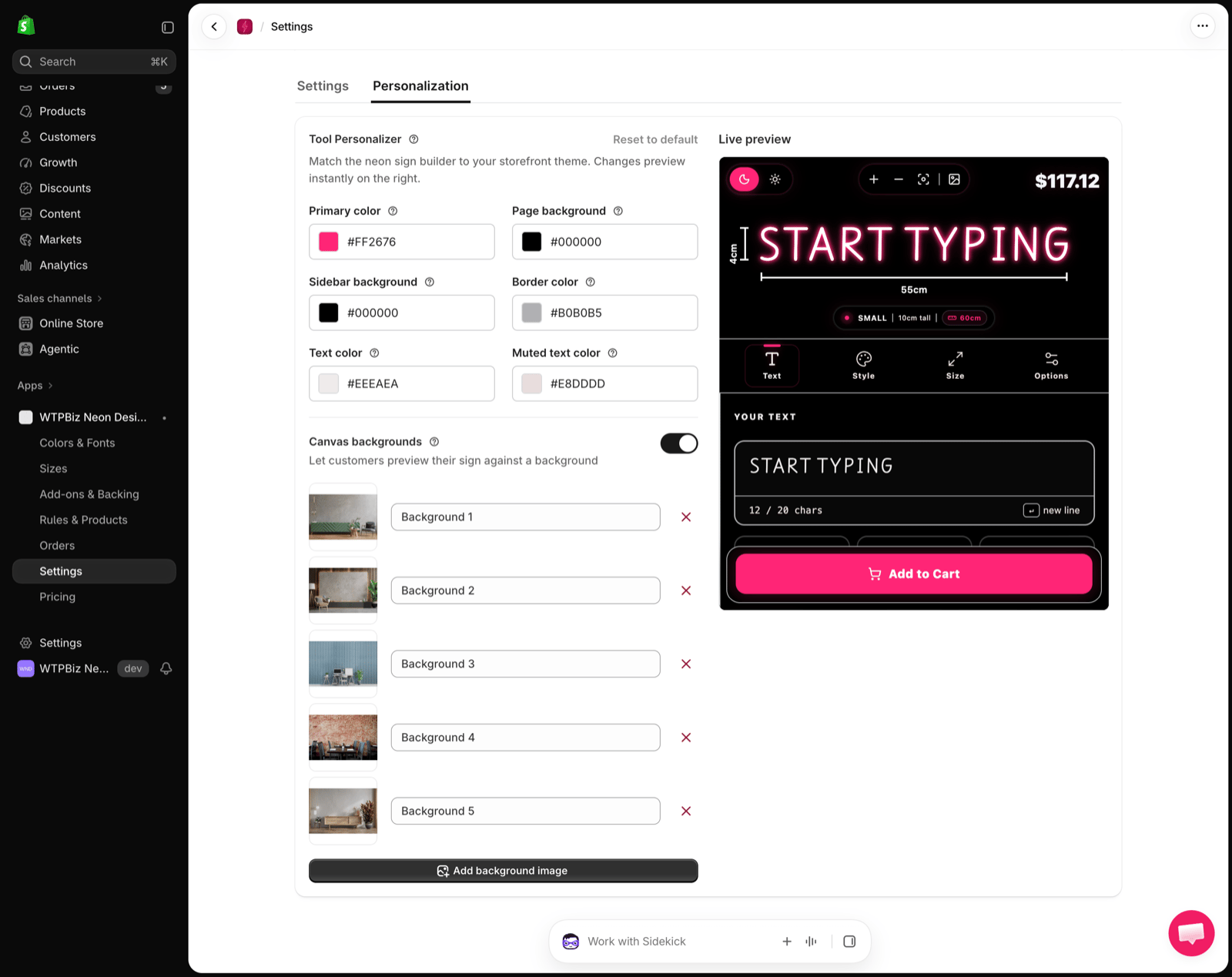
- Colors — Primary color, Page background, Sidebar background, Border color, Text color and Muted text color.
- Canvas backgrounds — turn on to let customers preview their sign against room photos. Rename or remove each background, or click Add background image.
- Reset to default — restores the original look.