> ## Documentation Index
> Fetch the complete documentation index at: https://help.wtpbiz.com/llms.txt
> Use this file to discover all available pages before exploring further.
# Dashboard
> Overview of the SheetSnap Dashboard — monitor your plan, setup status, and order usage at a glance.
## Dashboard Overview
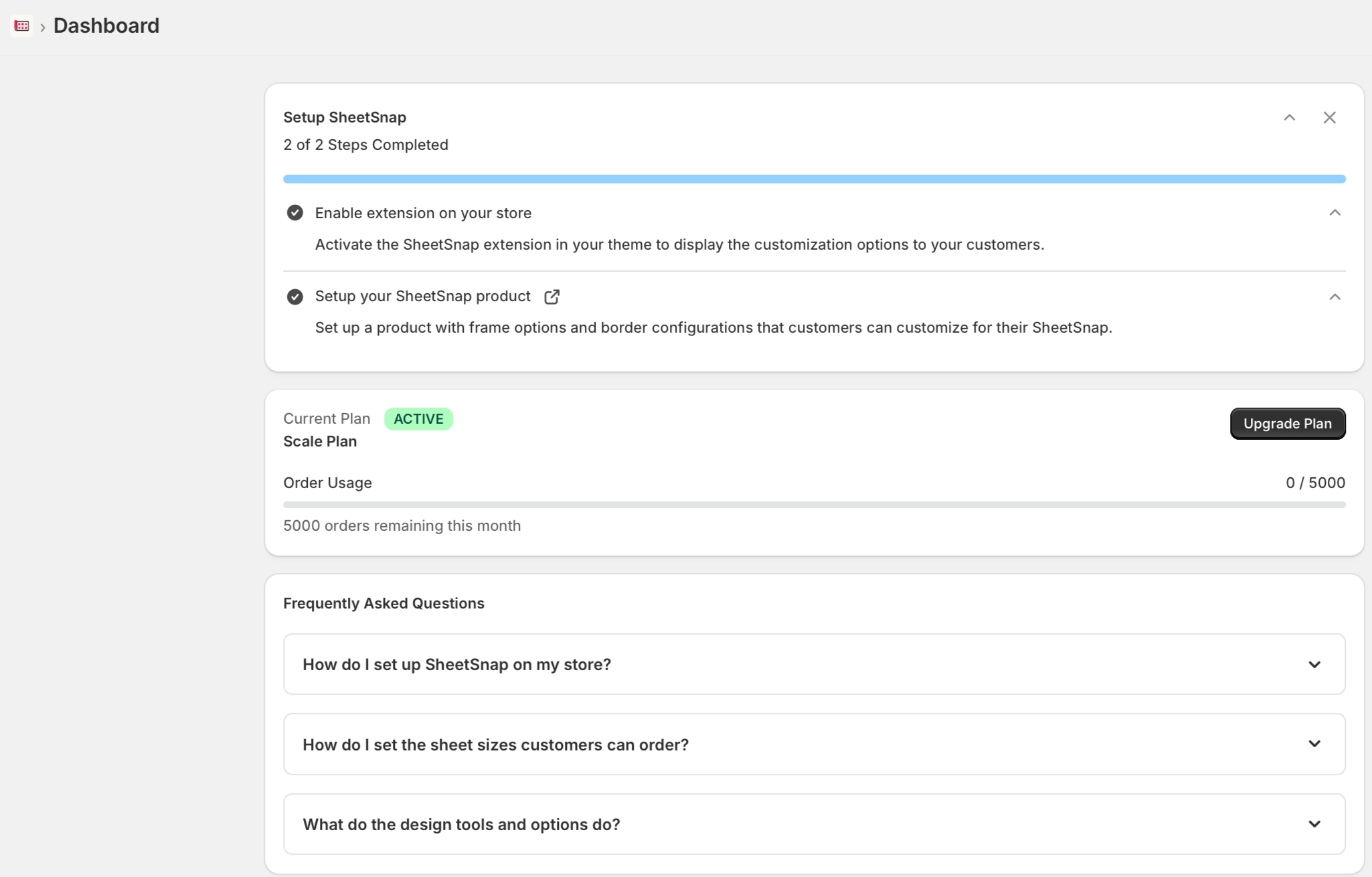
The SheetSnap Dashboard is the first page you see after installing the app. It gives you a quick view of your setup progress, active subscription plan, and links to common questions.
 ## Setup Progress
The **Setup SheetSnap** card at the top of the dashboard tracks your onboarding steps. SheetSnap has two required setup tasks:
1. **Enable extension on your store** — Activate the SheetSnap extension inside your Shopify theme so the customization builder appears on your product pages.
2. **Setup your SheetSnap product** — Configure a product with the sheet sizes, border options, and output settings your customers will use.
Once both steps are completed, the progress bar fills and the card shows **2 of 2 Steps Completed**.
You can click the external link icon next to "Setup your SheetSnap product" to jump directly to the product configuration page.
## Current Plan
Below the setup card, the **Current Plan** section shows:
* Your active plan name (e.g., Scale Plan)
* Plan status badge (**ACTIVE**)
* **Order Usage** — a progress bar showing how many orders you've used out of your monthly limit (e.g., 0 / 5000)
* Remaining orders this month
If you need to increase your order limit, click **Upgrade Plan** to view available subscription tiers.
## Frequently Asked Questions
The dashboard includes a built-in FAQ section covering the most common setup questions:
* How do I set up SheetSnap on my store?
* How do I set the sheet sizes customers can order?
* What do the design tools and options do?
Click any question to expand the answer inline.
## Next Steps
Once your dashboard shows 2 of 2 steps completed, your store is ready to accept gang sheet orders. Visit the [Products](/sheet-snap/products) page to manage your SheetSnap product configurations, or head to [Pricing](/sheet-snap/pricing) to review your plan limits.
## Setup Progress
The **Setup SheetSnap** card at the top of the dashboard tracks your onboarding steps. SheetSnap has two required setup tasks:
1. **Enable extension on your store** — Activate the SheetSnap extension inside your Shopify theme so the customization builder appears on your product pages.
2. **Setup your SheetSnap product** — Configure a product with the sheet sizes, border options, and output settings your customers will use.
Once both steps are completed, the progress bar fills and the card shows **2 of 2 Steps Completed**.
You can click the external link icon next to "Setup your SheetSnap product" to jump directly to the product configuration page.
## Current Plan
Below the setup card, the **Current Plan** section shows:
* Your active plan name (e.g., Scale Plan)
* Plan status badge (**ACTIVE**)
* **Order Usage** — a progress bar showing how many orders you've used out of your monthly limit (e.g., 0 / 5000)
* Remaining orders this month
If you need to increase your order limit, click **Upgrade Plan** to view available subscription tiers.
## Frequently Asked Questions
The dashboard includes a built-in FAQ section covering the most common setup questions:
* How do I set up SheetSnap on my store?
* How do I set the sheet sizes customers can order?
* What do the design tools and options do?
Click any question to expand the answer inline.
## Next Steps
Once your dashboard shows 2 of 2 steps completed, your store is ready to accept gang sheet orders. Visit the [Products](/sheet-snap/products) page to manage your SheetSnap product configurations, or head to [Pricing](/sheet-snap/pricing) to review your plan limits.