> ## Documentation Index
> Fetch the complete documentation index at: https://help.wtpbiz.com/llms.txt
> Use this file to discover all available pages before exploring further.
# Sizes
> Set up neon sign size tiers and the pricing for each size.
## Size Tiers
Go to **Sizes**. Each size tier sets the sign's dimensions and how its price is calculated.
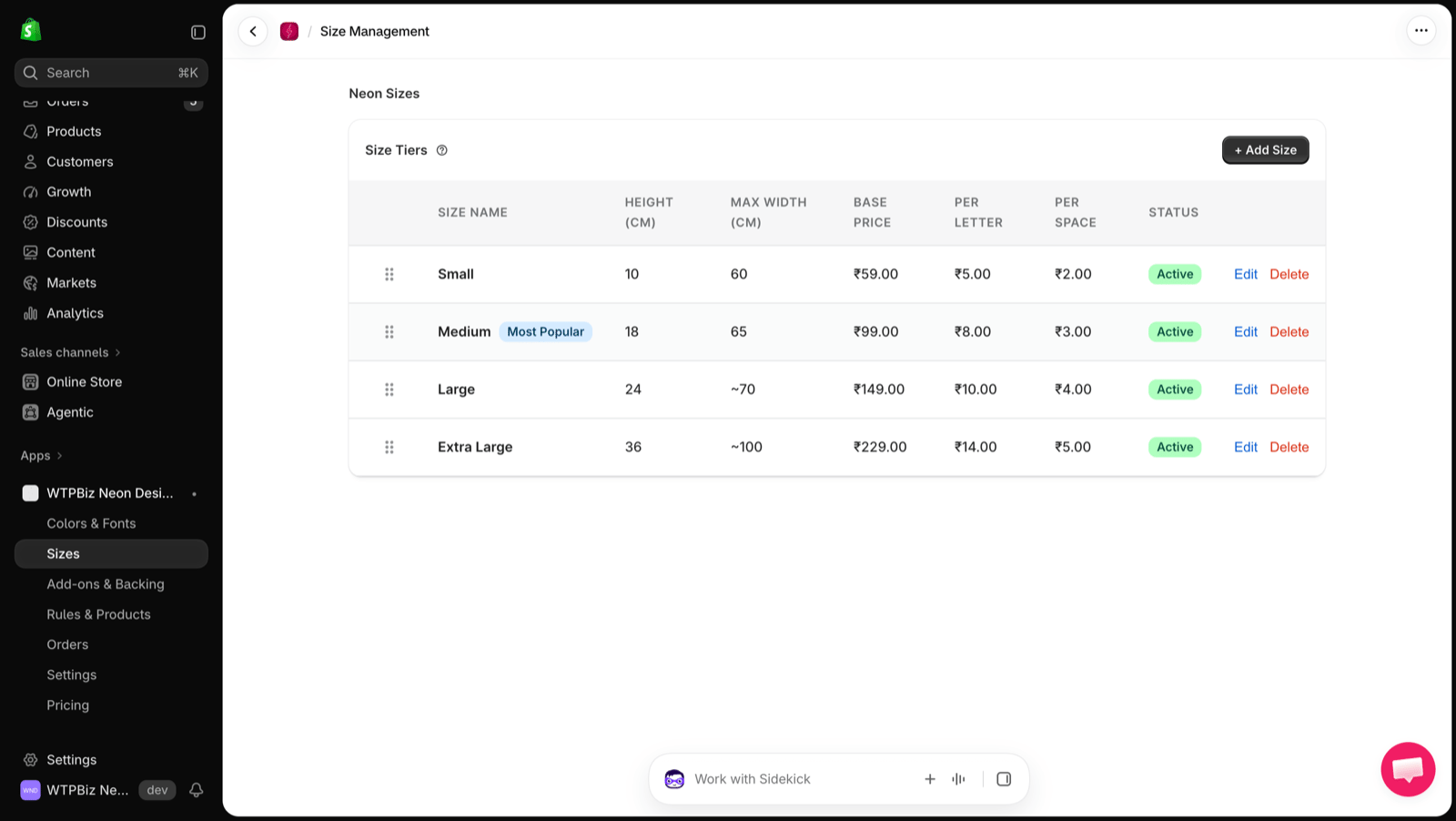 | Column | Description |
| - | - |
| **Size Name** | Name customers see (e.g., Small, Medium). A **Most Popular** tag can be shown on one size. |
| **Height (cm)** | Letter height of the sign |
| **Max Width (cm)** | Widest the sign can be at this size |
| **Base Price** | Starting price for this size |
| **Per Letter** | Added for each letter |
| **Per Space** | Added for each space |
| **Status** | Active sizes are shown to customers |
Drag the handle to reorder sizes. Click **Edit** or **Delete** to change a size.
## How the Price Is Calculated
Price = **Base Price** + (**Per Letter** × letters) + (**Per Space** × spaces), plus any color upcharge, [add-ons](/neon/add-ons-backing) and [backing style](/neon/add-ons-backing#backing-styles). The price updates live as the customer types.
## Add a Size
| Column | Description |
| - | - |
| **Size Name** | Name customers see (e.g., Small, Medium). A **Most Popular** tag can be shown on one size. |
| **Height (cm)** | Letter height of the sign |
| **Max Width (cm)** | Widest the sign can be at this size |
| **Base Price** | Starting price for this size |
| **Per Letter** | Added for each letter |
| **Per Space** | Added for each space |
| **Status** | Active sizes are shown to customers |
Drag the handle to reorder sizes. Click **Edit** or **Delete** to change a size.
## How the Price Is Calculated
Price = **Base Price** + (**Per Letter** × letters) + (**Per Space** × spaces), plus any color upcharge, [add-ons](/neon/add-ons-backing) and [backing style](/neon/add-ons-backing#backing-styles). The price updates live as the customer types.
## Add a Size
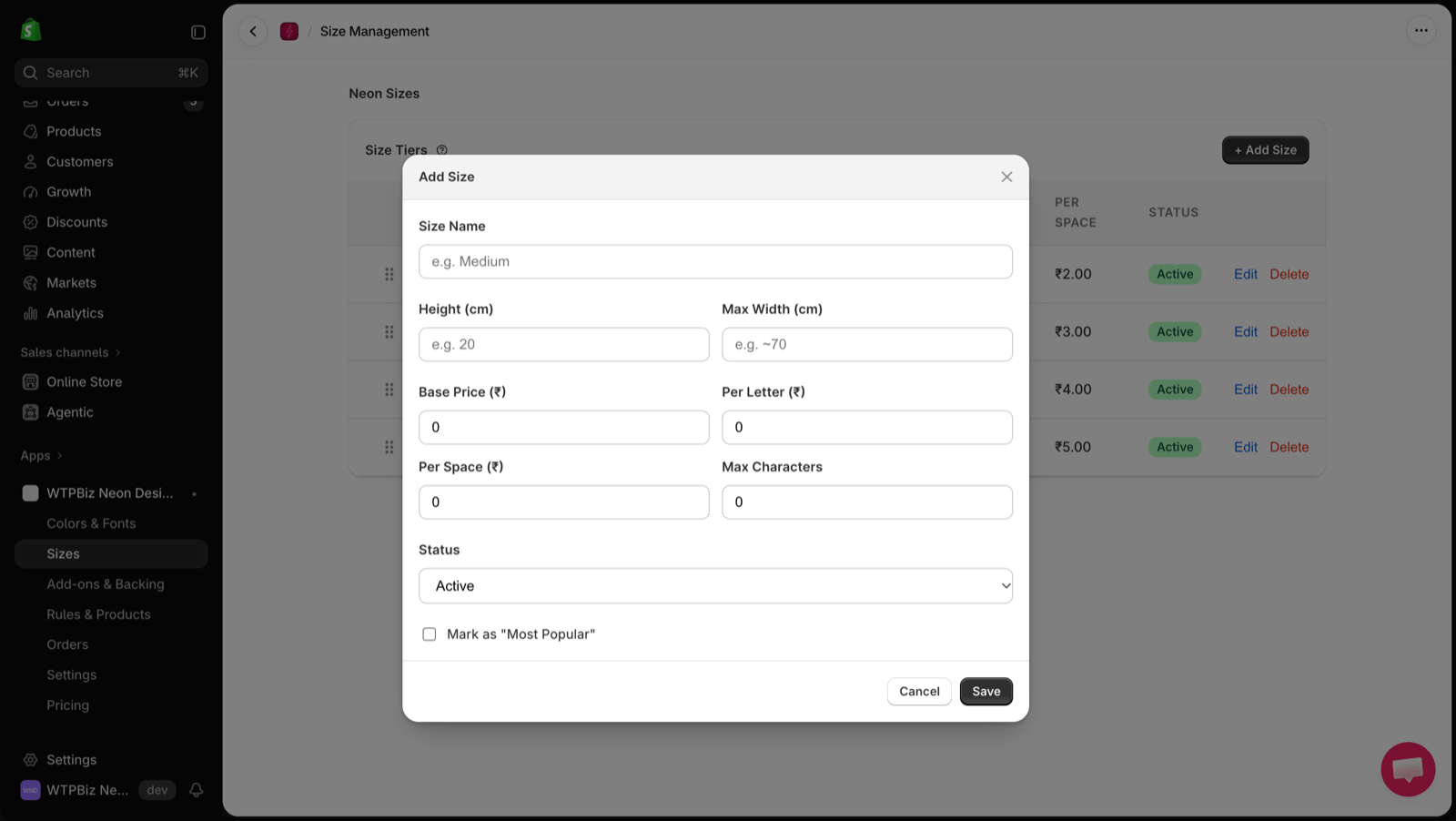 1. Click **+ Add Size**.
2. Enter the **Size Name**, **Height (cm)** and **Max Width (cm)**.
3. Enter **Base Price**, **Per Letter** and **Per Space** prices.
4. Set **Max Characters** for this size.
5. Choose the **Status** (Active or Inactive).
6. Optionally tick **Mark as "Most Popular"**.
7. Click **Save**.
Prices are in your store currency. The measurement unit can be changed in [Settings](/neon/settings).
1. Click **+ Add Size**.
2. Enter the **Size Name**, **Height (cm)** and **Max Width (cm)**.
3. Enter **Base Price**, **Per Letter** and **Per Space** prices.
4. Set **Max Characters** for this size.
5. Choose the **Status** (Active or Inactive).
6. Optionally tick **Mark as "Most Popular"**.
7. Click **Save**.
Prices are in your store currency. The measurement unit can be changed in [Settings](/neon/settings).