> ## Documentation Index
> Fetch the complete documentation index at: https://help.wtpbiz.com/llms.txt
> Use this file to discover all available pages before exploring further.
# Settings
> Configure the Neon Sign Builder behavior, measurement unit, text, styling and custom code.
## Settings
Go to **Settings > Settings**.
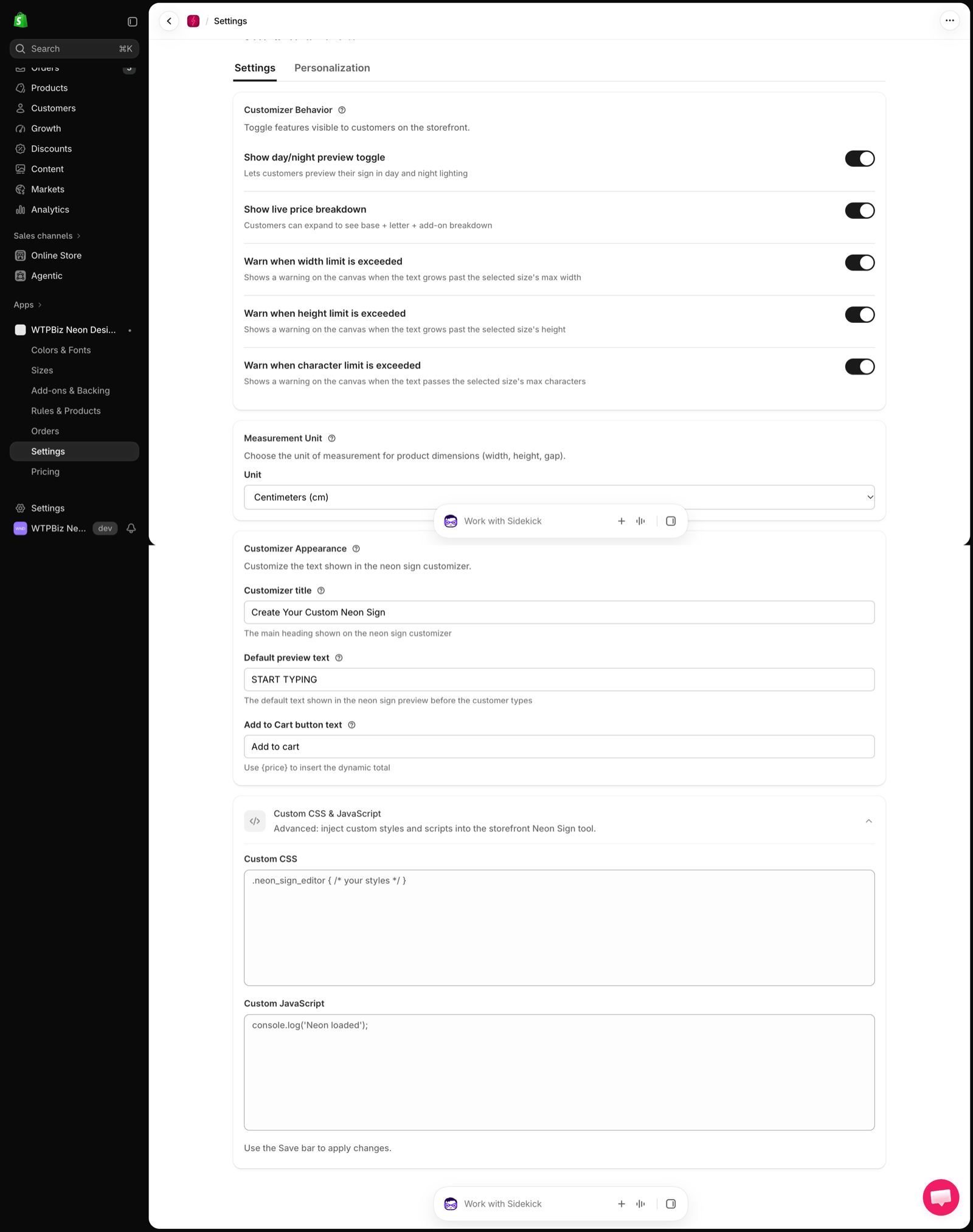 ### Customizer Behavior
Toggle features visible to customers on the storefront:
| Setting | What it does |
| - | - |
| **Show day/night preview toggle** | Lets customers preview their sign in day and night lighting |
| **Show live price breakdown** | Customers can expand to see base + letter + add-on breakdown |
| **Warn when width limit is exceeded** | Shows a warning when the text grows past the selected size's max width |
| **Warn when height limit is exceeded** | Shows a warning when the text grows past the selected size's height |
| **Warn when character limit is exceeded** | Shows a warning when the text passes the selected size's max characters |
### Measurement Unit
Choose the **Unit** for product dimensions (width, height, gap), for example **Centimeters (cm)**.
### Customizer Appearance
* **Customizer title** — main heading on the builder (e.g., "Create Your Custom Neon Sign").
* **Default preview text** — text shown before the customer types (e.g., "START TYPING").
* **Add to Cart button text** — use `{price}` to insert the live total.
### Custom CSS & JavaScript
Advanced: add **Custom CSS** and **Custom JavaScript** to the storefront Neon Sign tool. Use the Save bar to apply changes.
## Personalization
Go to **Settings > Personalization** to match the builder to your storefront theme. Changes show instantly in the **Live preview**.
### Customizer Behavior
Toggle features visible to customers on the storefront:
| Setting | What it does |
| - | - |
| **Show day/night preview toggle** | Lets customers preview their sign in day and night lighting |
| **Show live price breakdown** | Customers can expand to see base + letter + add-on breakdown |
| **Warn when width limit is exceeded** | Shows a warning when the text grows past the selected size's max width |
| **Warn when height limit is exceeded** | Shows a warning when the text grows past the selected size's height |
| **Warn when character limit is exceeded** | Shows a warning when the text passes the selected size's max characters |
### Measurement Unit
Choose the **Unit** for product dimensions (width, height, gap), for example **Centimeters (cm)**.
### Customizer Appearance
* **Customizer title** — main heading on the builder (e.g., "Create Your Custom Neon Sign").
* **Default preview text** — text shown before the customer types (e.g., "START TYPING").
* **Add to Cart button text** — use `{price}` to insert the live total.
### Custom CSS & JavaScript
Advanced: add **Custom CSS** and **Custom JavaScript** to the storefront Neon Sign tool. Use the Save bar to apply changes.
## Personalization
Go to **Settings > Personalization** to match the builder to your storefront theme. Changes show instantly in the **Live preview**.
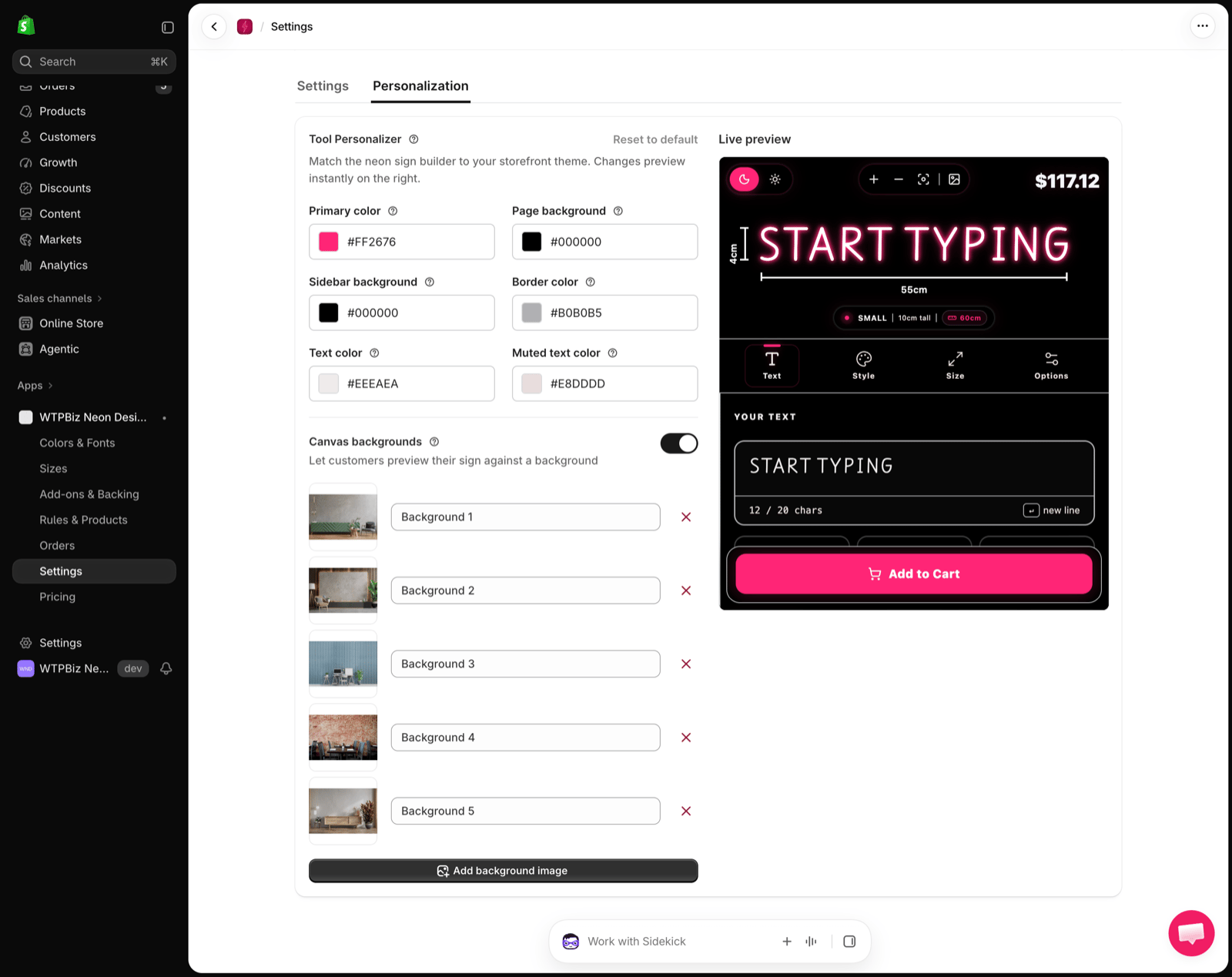 * **Colors** — Primary color, Page background, Sidebar background, Border color, Text color and Muted text color.
* **Canvas backgrounds** — turn on to let customers preview their sign against room photos. Rename or remove each background, or click **Add background image**.
* **Reset to default** — restores the original look.
* **Colors** — Primary color, Page background, Sidebar background, Border color, Text color and Muted text color.
* **Canvas backgrounds** — turn on to let customers preview their sign against room photos. Rename or remove each background, or click **Add background image**.
* **Reset to default** — restores the original look.