> ## Documentation Index
> Fetch the complete documentation index at: https://help.wtpbiz.com/llms.txt
> Use this file to discover all available pages before exploring further.
# Rules & Products
> Control which options each product offers and choose which products use the Neon Sign Builder.
## Rules
Go to **Rules & Products > Rules**. Rules control which colors, sizes, fonts, add-ons and backing styles are available on each product.
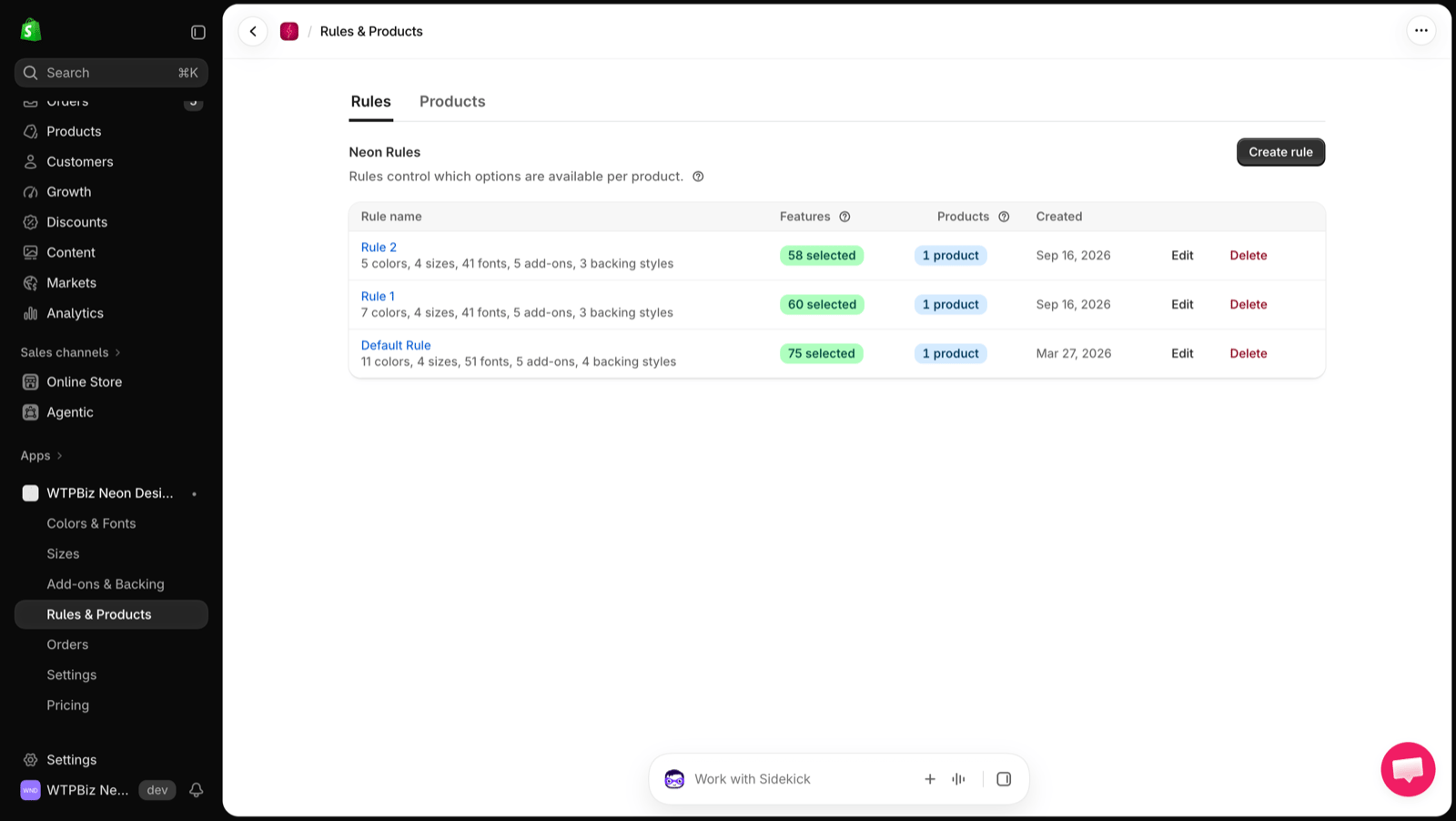 Each rule shows its name, a summary of the selected options, the number of **Features** selected, the number of **Products** using it and the date created. Click **Edit** or **Delete** to change a rule.
## Create a Rule
Each rule shows its name, a summary of the selected options, the number of **Features** selected, the number of **Products** using it and the date created. Click **Edit** or **Delete** to change a rule.
## Create a Rule
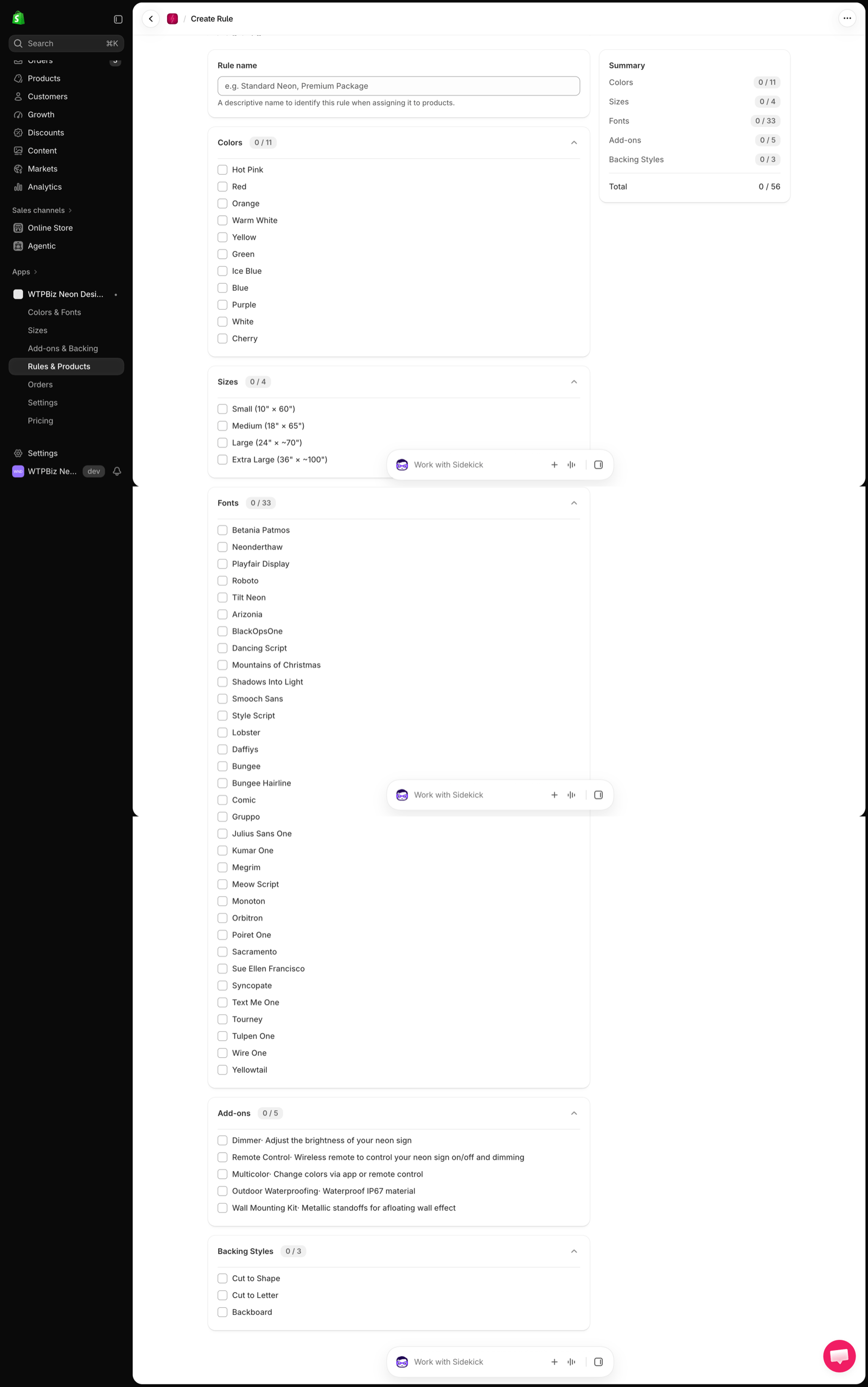 1. Click **Create rule**.
2. Enter a **Rule name** (e.g., Standard Neon, Premium Package).
3. Tick the **Colors**, **Sizes**, **Fonts**, **Add-ons** and **Backing Styles** this rule allows.
4. Check the **Summary** panel for the selected count in each section.
5. Save the rule.
Use rules to offer different option sets, for example a basic neon product with fewer fonts and a premium product with every add-on.
## Products
Go to **Rules & Products > Products**.
1. Click **Create rule**.
2. Enter a **Rule name** (e.g., Standard Neon, Premium Package).
3. Tick the **Colors**, **Sizes**, **Fonts**, **Add-ons** and **Backing Styles** this rule allows.
4. Check the **Summary** panel for the selected count in each section.
5. Save the rule.
Use rules to offer different option sets, for example a basic neon product with fewer fonts and a premium product with every add-on.
## Products
Go to **Rules & Products > Products**.
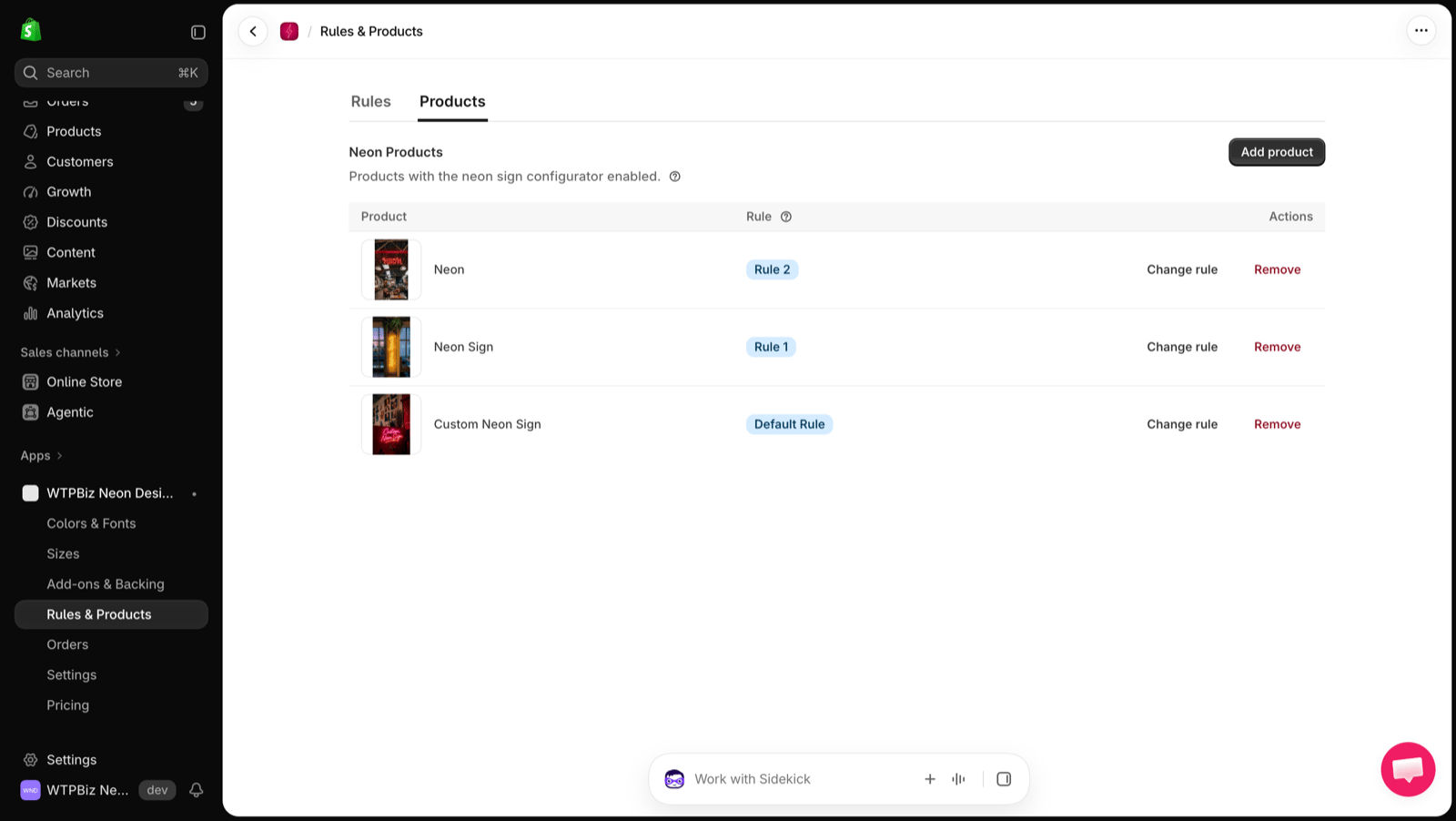 **Neon Products** lists the products with the neon sign configurator enabled and the rule assigned to each.
* **Add product** — select a Shopify product and assign a rule.
* **Change rule** — switch the rule for a product.
* **Remove** — turn off the builder for that product. The Shopify product itself is not deleted.
The number of products you can enable depends on your plan. See [Pricing](/neon/pricing).
**Neon Products** lists the products with the neon sign configurator enabled and the rule assigned to each.
* **Add product** — select a Shopify product and assign a rule.
* **Change rule** — switch the rule for a product.
* **Remove** — turn off the builder for that product. The Shopify product itself is not deleted.
The number of products you can enable depends on your plan. See [Pricing](/neon/pricing).