> ## Documentation Index
> Fetch the complete documentation index at: https://help.wtpbiz.com/llms.txt
> Use this file to discover all available pages before exploring further.
# Pricing
> WTPBiz Neon Designer subscription plans — choose the right tier for your order volume.
## Pricing Plans
WTPBiz Neon Designer offers four plans. All paid plans include a **7-day free trial**.
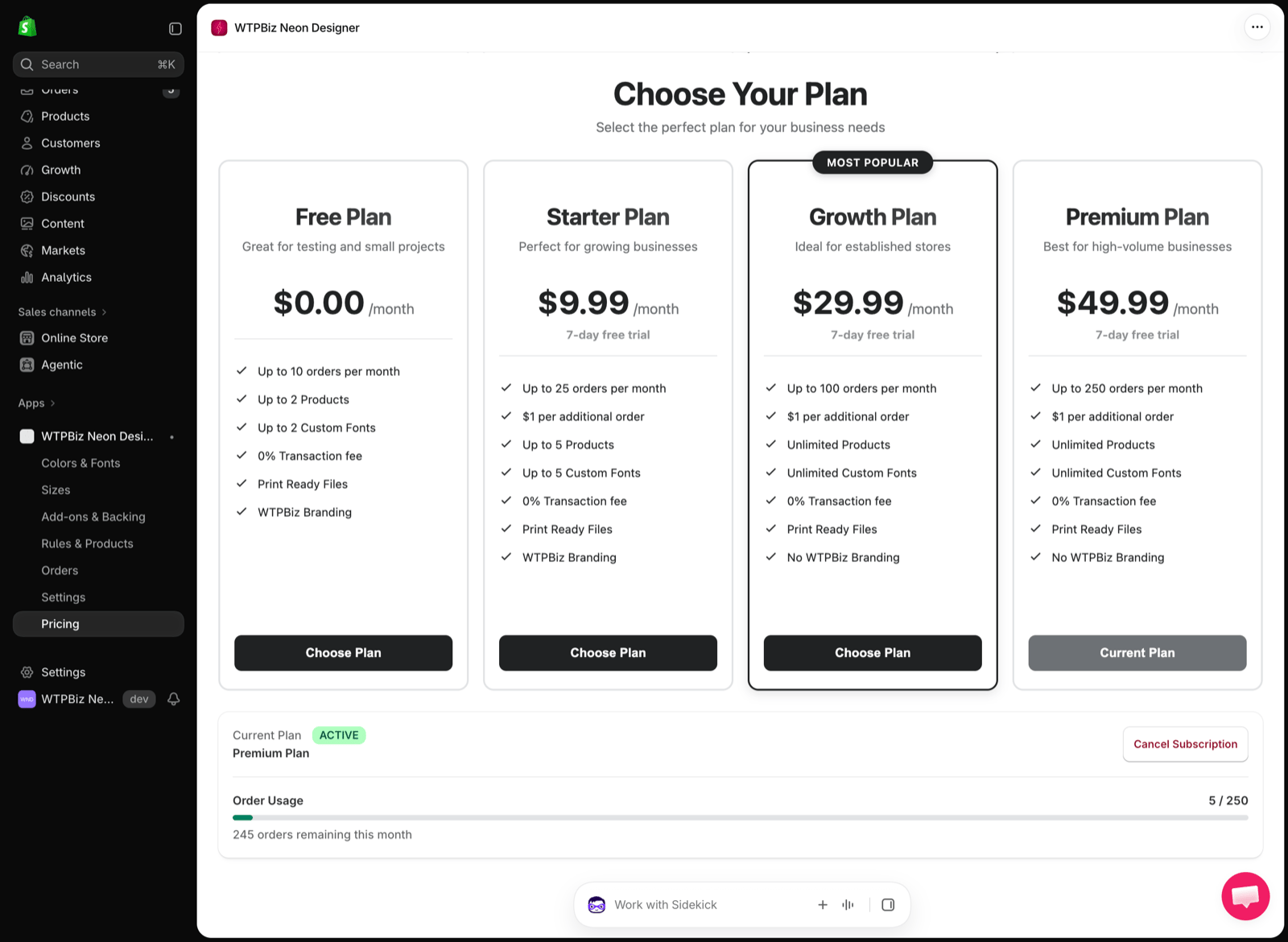 | Plan | Price | Orders / month | Products | Custom fonts | Branding |
| - | - | - | - | - | - |
| **Free** | \$0 | 10 | 2 | 2 | WTPBiz branding |
| **Starter** | \$9.99 / month | 25 | 5 | 5 | WTPBiz branding |
| **Growth** (Most Popular) | \$29.99 / month | 100 | Unlimited | Unlimited | No WTPBiz branding |
| **Premium** | \$49.99 / month | 250 | Unlimited | Unlimited | No WTPBiz branding |
All plans include print-ready files and a 0% transaction fee. On paid plans, orders above the monthly limit are charged at **\$1 per additional order**.
## Changing Your Plan
1. Go to **Pricing** in the app.
2. Click **Choose Plan** on the plan you want.
3. Approve the subscription in the Shopify billing dialog.
The **Current Plan** section shows your active plan and **Order Usage** for the month. Click **Cancel Subscription** to cancel.
All charges are billed in USD through your Shopify bill every 30 days.
| Plan | Price | Orders / month | Products | Custom fonts | Branding |
| - | - | - | - | - | - |
| **Free** | \$0 | 10 | 2 | 2 | WTPBiz branding |
| **Starter** | \$9.99 / month | 25 | 5 | 5 | WTPBiz branding |
| **Growth** (Most Popular) | \$29.99 / month | 100 | Unlimited | Unlimited | No WTPBiz branding |
| **Premium** | \$49.99 / month | 250 | Unlimited | Unlimited | No WTPBiz branding |
All plans include print-ready files and a 0% transaction fee. On paid plans, orders above the monthly limit are charged at **\$1 per additional order**.
## Changing Your Plan
1. Go to **Pricing** in the app.
2. Click **Choose Plan** on the plan you want.
3. Approve the subscription in the Shopify billing dialog.
The **Current Plan** section shows your active plan and **Order Usage** for the month. Click **Cancel Subscription** to cancel.
All charges are billed in USD through your Shopify bill every 30 days.