> ## Documentation Index
> Fetch the complete documentation index at: https://help.wtpbiz.com/llms.txt
> Use this file to discover all available pages before exploring further.
# Orders
> View neon sign orders, revenue and production details.
## Neon Orders
Go to **Orders**.
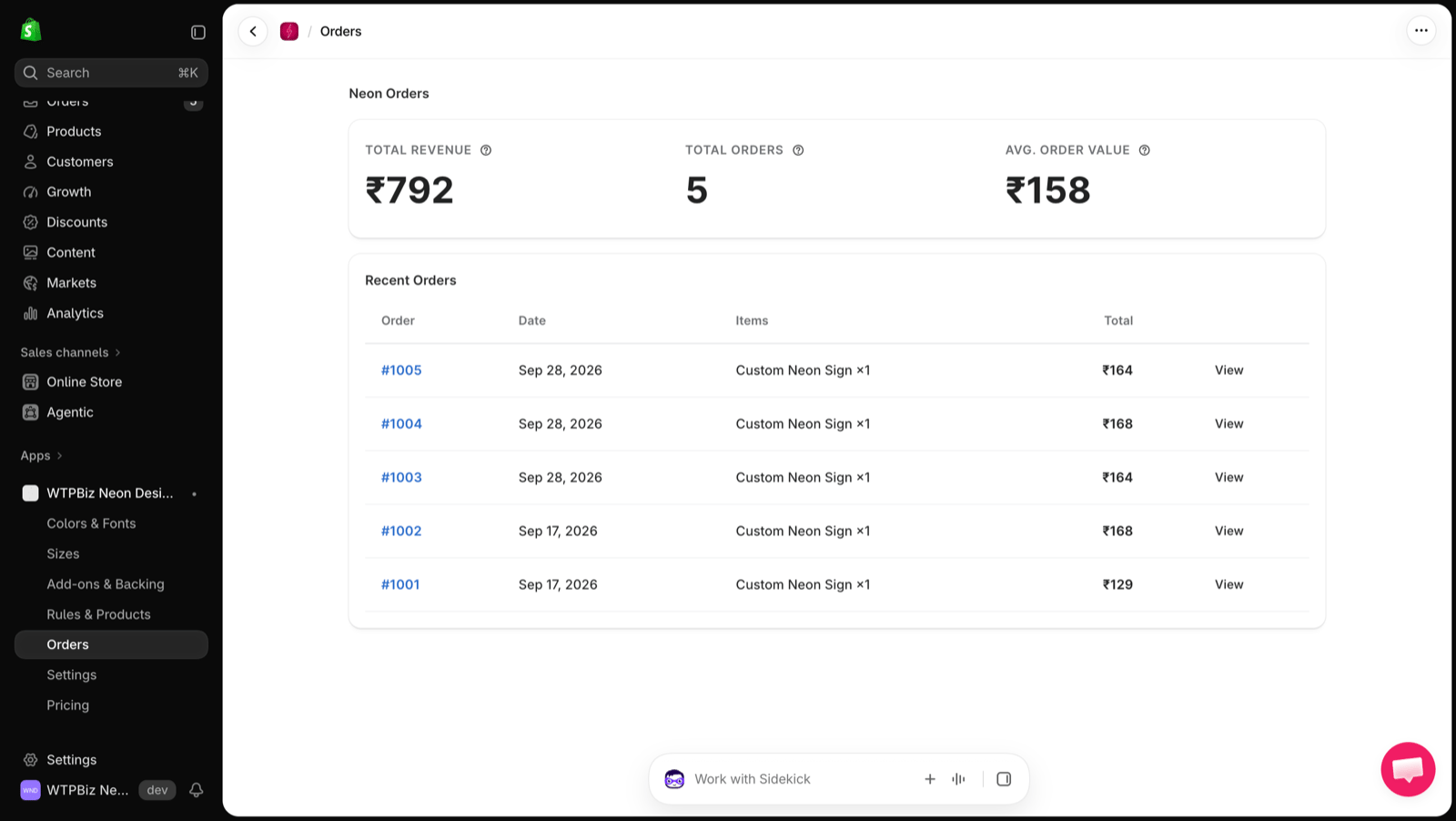 * **Total Revenue** — revenue from neon sign orders.
* **Total Orders** — number of neon sign orders.
* **Avg. Order Value** — average value per order.
## Recent Orders
The table lists each order with its number, date, items and total. Click **View** to open the order and see the customer's design and the production specs your manufacturer needs.
Every completed order includes the production specs and an SVG file of the sign.
* **Total Revenue** — revenue from neon sign orders.
* **Total Orders** — number of neon sign orders.
* **Avg. Order Value** — average value per order.
## Recent Orders
The table lists each order with its number, date, items and total. Click **View** to open the order and see the customer's design and the production specs your manufacturer needs.
Every completed order includes the production specs and an SVG file of the sign.