> ## Documentation Index
> Fetch the complete documentation index at: https://help.wtpbiz.com/llms.txt
> Use this file to discover all available pages before exploring further.
# AI Generation
> Generate custom fabric patterns using AI with Fal.ai integration
## AI Pattern Generation Overview
Fabric Lens includes a built-in AI pattern generator powered by [Fal.ai](https://fal.ai). Use it to generate unique, high-quality fabric patterns directly from text prompts.
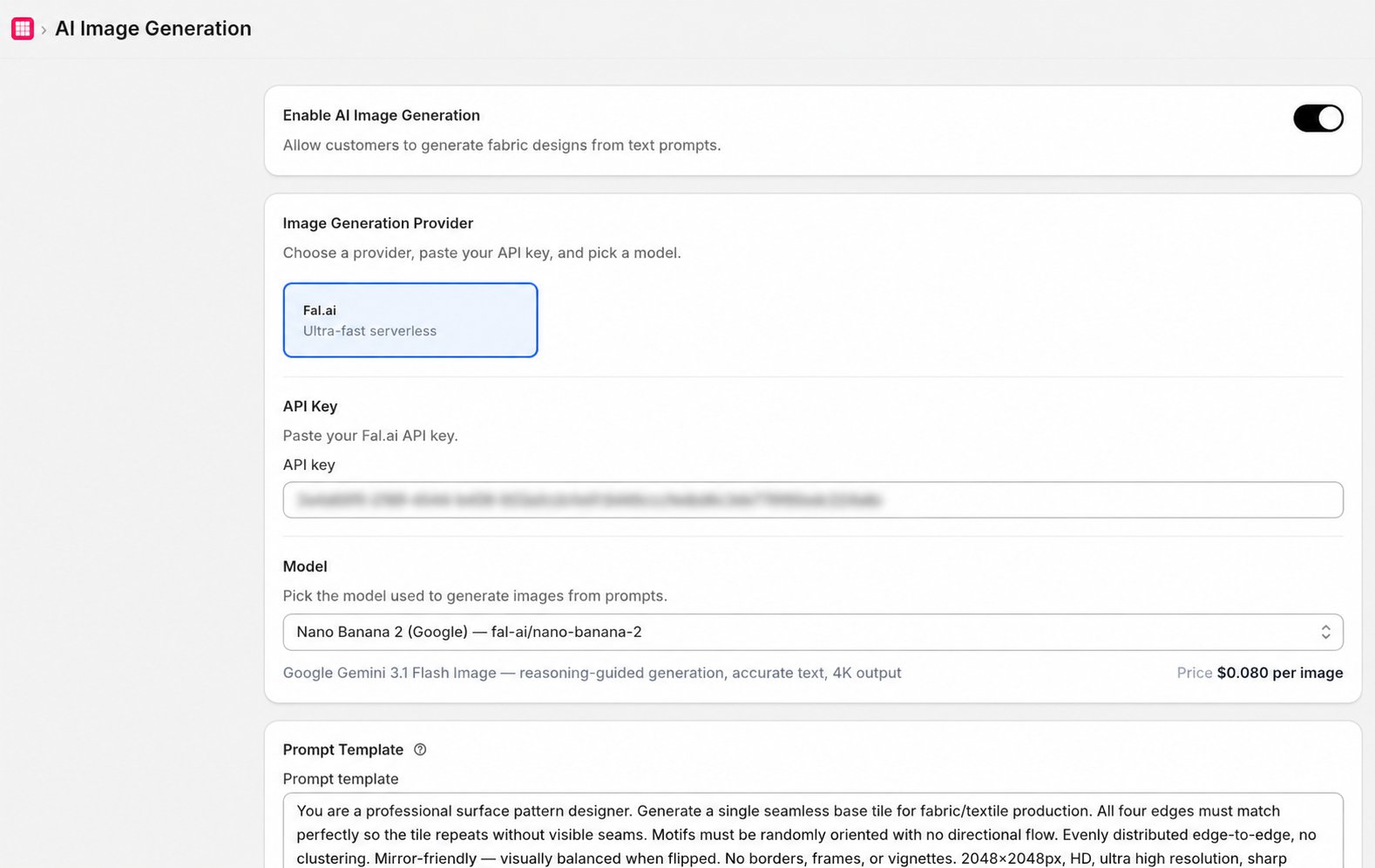 ## Setup: Connect Your Fal.ai API Key
To use AI generation, you need a Fal.ai API key:
1. Create an account at [fal.ai](https://fal.ai).
2. Go to your Fal.ai dashboard and generate an API key.
3. In Fabric Lens, go to the **AI Generation** page.
4. Paste your API key into the **Fal.ai API Key** field.
5. Click **Save**.
Keep your API key private. Do not share it or commit it to version control. Fal.ai charges apply based on usage.
## Generate a Pattern
1. Enter a text prompt describing the pattern you want (e.g., "blue floral paisley on white background").
2. Select any style or dimension options if available.
3. Click **Generate**.
4. Once generated, the pattern image will appear. You can download it or use it directly in your collection.
## Tips for Better Results
* Be specific: describe colors, motifs, texture, and style.
* Mention fabric type if relevant (e.g., "watercolor silk pattern").
* Iterate: generate multiple variations and pick the best one.
## Setup: Connect Your Fal.ai API Key
To use AI generation, you need a Fal.ai API key:
1. Create an account at [fal.ai](https://fal.ai).
2. Go to your Fal.ai dashboard and generate an API key.
3. In Fabric Lens, go to the **AI Generation** page.
4. Paste your API key into the **Fal.ai API Key** field.
5. Click **Save**.
Keep your API key private. Do not share it or commit it to version control. Fal.ai charges apply based on usage.
## Generate a Pattern
1. Enter a text prompt describing the pattern you want (e.g., "blue floral paisley on white background").
2. Select any style or dimension options if available.
3. Click **Generate**.
4. Once generated, the pattern image will appear. You can download it or use it directly in your collection.
## Tips for Better Results
* Be specific: describe colors, motifs, texture, and style.
* Mention fabric type if relevant (e.g., "watercolor silk pattern").
* Iterate: generate multiple variations and pick the best one.